Reviewed: October 12, 2026 · Format: workflow playbook
No-code automation connects steps in the software a business already uses. It can reduce copying and chasing, but a broken trigger can repeat the wrong action at scale. Begin with a small, reversible workflow and keep a person in control of consequential decisions.
Before you connect anything
- Map the current steps, owner, exceptions, and failure points.
- Check what data each service receives, stores, and shares; use minimum necessary access.
- Test with dummy records and add a clear failure alert.
- Require approval before sending customer-facing messages or changing money, orders, or account records.
- Keep a manual fallback and document how to pause the automation.
1. Website enquiry to a tracked lead
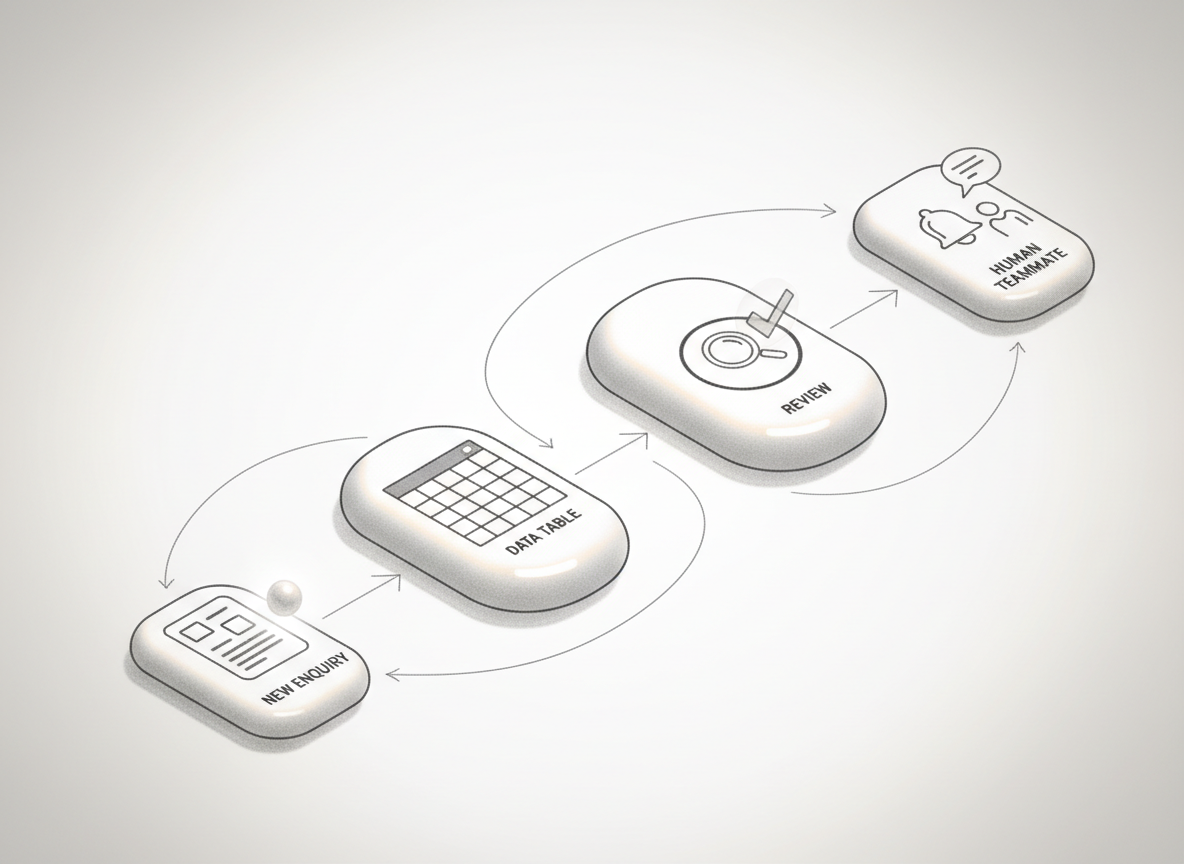
Pattern: form submission → create a row in a lead tracker → notify the assigned person. Keep a human responsible for checking the request and deciding what to send. Collect only the details you need, and make sure the form explains how you use them.
2. Meeting notes to follow-up tasks
Pattern: approved meeting notes → extract proposed actions → create a review list for the meeting owner. Treat AI-generated names, dates, and commitments as suggestions until checked against the source notes. Do not record a meeting or send its transcript to a service without appropriate notice and permission.
3. New order to an internal status update
Pattern: order status changes → update an internal dashboard → alert the fulfilment owner when information is missing. Start with internal notifications. Leave refunds, cancellations, stock promises, and customer messages behind an approval step.
4. Appointment booking to a reminder queue
Pattern: confirmed booking → schedule a reminder → stop reminders when the appointment is cancelled or rescheduled. Verify time zones, duplicate bookings, opt-out preferences, and what happens if delivery fails. Keep the message useful and proportionate.
5. Repeated questions to a draft response
Pattern: an incoming support question → find the relevant approved help page → prepare a suggested reply for a staff member. Avoid automatic sending until the team has measured accuracy on real examples. Escalate complaints, safety concerns, legal questions, and unusual cases to a person.
How to tell whether it worked
Record the number of tasks completed, minutes saved, correction rate, failures, and time spent maintaining the automation. Compare a representative period before and after. If the workflow creates more checking than it removes, simplify it or switch it off.
When an AI service is part of the workflow, verify the exact account’s data controls before sending business information. OpenAI’s published business privacy commitments and Microsoft’s Copilot data protection documentation describe specific business services; they are not blanket assurances for every consumer account, integration, or third-party connector.
Start with one workflow. Automate a stable, repetitive task first. Keep the process observable, give someone ownership, and make sure the manual version still works.